
Last updated: 2 November 2026.
When sales, stock, purchasing and accounting each live in a different tool or spreadsheet, nobody has the full picture and every month-end turns into a hunt for numbers. An ERP system solves that by putting the whole business on one shared database. This guide explains what an ERP is, how it works, which types exist, which systems are common in Spain and how to choose one.
Transparency note: BIT Technologies is an Oracle NetSuite Alliance Partner. We have tried to keep this guide neutral and based on public information from each vendor.
What is an ERP system?
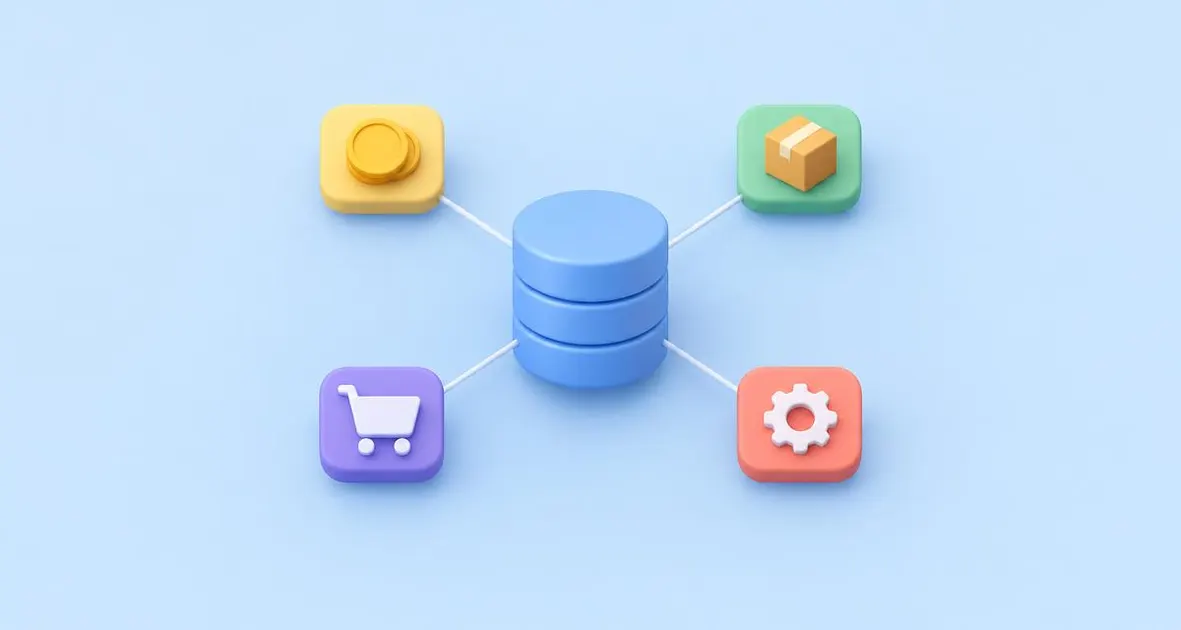
An ERP system is business management software that brings a company's core processes (finance, purchasing, sales, inventory, production and people) into one application with a single shared database. Every department works with the same up-to-date data, so information is entered once and flows automatically from one process to the next.
What ERP means (Enterprise Resource Planning)
ERP stands for Enterprise Resource Planning: planning and managing all of a company's resources (money, stock, people, machines and time) in one place. Today the name is a little misleading, because a modern ERP does much more than plan; it runs day-to-day operations and accounting.
From MRP to cloud ERP: a short history
- 1960s–1970s, MRP (Material Requirements Planning): software that calculated which materials a factory needed to buy and when, based on the production plan.
- 1980s, MRP II (Manufacturing Resource Planning): added capacity, shop-floor control and the link to costs and finance.
- 1990s, ERP: the analyst firm Gartner popularised the term for systems that extended this integration to the whole company, not just the factory.
- 2000s onwards, cloud ERP: the software runs in the vendor's data centres and is used through a browser as a subscription. NetSuite, founded in 1998, was one of the first ERPs built for the cloud.
- 2020s, AI in ERP: assistants and automation are being built into the systems themselves (see the AI section below).
What is an ERP system for?
An ERP gives a company one reliable version of its numbers and automates the work that connects departments. In practice, it helps you:
- Stop re-typing data between sales, warehouse and accounting tools.
- See the business in real time: sales, stock, cash and margins without waiting for month-end.
- Close the books faster, because transactions are already in the general ledger.
- Control processes: approvals, user permissions and an audit trail of who did what.
- Grow without chaos: add products, warehouses, countries or companies on the same system.
- Comply with tax rules, such as Spain's SII or e-invoicing, from the same data.
How an ERP system works
An ERP works on two ideas: one database and connected modules. Each module covers one area (sales, purchasing, stock, finance), but they all read and write the same data. When one module records something, the others see it immediately.
Here is a typical order-to-cash flow:
- Sales order. A salesperson enters an order. The ERP checks the customer's credit limit and available stock.
- Stock reservation. Inventory reserves the products; if there isn't enough, purchasing or production gets a requirement.
- Picking and shipping. The warehouse picks, packs and ships. Stock is reduced automatically.
- Invoice. The ERP creates the invoice from the shipment, with the right tax, and it posts to accounts receivable.
- Collection. When the customer pays, the payment is matched to the invoice and cash is updated in the general ledger.
- Reporting. Sales, margin and cash reports update straight away, with no manual consolidation.
Main modules of an ERP system
Most ERPs are modular: you license the modules you need and add more as you grow.
Finance and accounting
The core of every ERP: general ledger, accounts payable and receivable, banking, fixed assets, taxes and financial statements. In multi-company groups it also handles intercompany transactions and consolidation.
Purchasing and procurement
Purchase requests, approvals, purchase orders, goods receipts and matching supplier invoices against orders and deliveries.
Sales and CRM
Quotes, sales orders, pricing, discounts and invoicing. Many ERPs include a CRM for leads, opportunities and customer history; others connect to an external CRM.
Inventory, warehouse and logistics
Stock levels by location, lots and serial numbers, transfers, picking and shipping. Advanced warehouse modules add bin locations, barcode scanning and mobile devices.
Production and MRP
Bills of materials, routings, work orders and material requirements planning, so the factory knows what to make and buy, and when.
Human resources
Employee records, organisation charts, time off and, depending on the system and country, payroll. Where the ERP doesn't cover local payroll, companies connect a specialist payroll tool to it.
Project management
Project budgets, time and expense tracking, resource planning and project billing. This is essential for services and engineering companies.
Reporting and business intelligence
Dashboards, KPIs and reports built on live data, with drill-down from a total to the original transaction.
Types of ERP systems
ERPs can be grouped in four ways: how they are deployed, which industries they target, which company size they suit and how they are licensed.
By deployment: cloud (SaaS), on-premise and hybrid
- Cloud (SaaS): the vendor hosts and updates the software, and you pay a subscription. There are no servers to maintain, and new releases arrive automatically.
- On-premise: you install the software on your own servers (or a private cloud), usually with a licence plus annual maintenance. You get more control, but also more IT work.
- Hybrid: part of the system runs in the cloud and part on-premise, for example a cloud ERP for subsidiaries and an on-premise system at headquarters.
By industry: horizontal and vertical ERPs
Horizontal ERPs cover processes common to any business and are adapted through configuration. Vertical ERPs come with features for one sector, such as food traceability, construction projects or fashion size-and-colour matrices. Many vendors offer horizontal products with industry editions.
By company size: small businesses, mid-market and large enterprises
Some products target small businesses with simple, ready-to-use processes. Others target the mid-market, with multi-company, multi-currency and more automation. Large-enterprise ERPs handle very high volumes and complex global operations. Several vendors have different products for each segment.
By licence: proprietary or open source
Proprietary ERPs are owned by the vendor, which controls the code and the roadmap. Open-source ERPs publish their source code so it can be modified, but implementation, hosting and support still cost money. Some vendors use an open-core model, with a free community edition and a paid enterprise edition.
Examples of ERP systems: the most widely used in Spain
These are well-established ERP software products with a strong presence in Spain, listed alphabetically by vendor. The list is not a market-share ranking.
| System | Vendor | Deployment | Typical company profile |
|---|---|---|---|
| a3ERP | Wolters Kluwer | On-premise or cloud hosted by the vendor | Spanish small and medium-sized businesses |
| IFS Cloud | IFS | Cloud or customer-hosted | Asset-intensive industries needing ERP, maintenance and field service |
| Infor CloudSuite | Infor | Cloud | Manufacturers and distributors that want industry-specific editions |
| Microsoft Dynamics 365 Business Central | Microsoft | Cloud (also on-premise) | Small and mid-sized businesses |
| Microsoft Dynamics 365 Finance & Operations (now Finance and Supply Chain Management) | Microsoft | Cloud | Large or complex multinational organisations |
| Odoo | Odoo S.A. | Cloud (SaaS or Odoo.sh) or on-premise | Small and mid-sized businesses |
| Oracle Fusion Cloud ERP | Oracle | Cloud (SaaS) | Large enterprises and upper mid-market |
| Oracle NetSuite | Oracle | Cloud (SaaS) | Growing mid-sized companies and groups with several companies or countries |
| Sage 200 and Sage X3 | Sage | Cloud or on-premise | Sage 200 for small and mid-sized businesses; Sage X3 for mid-sized and large companies |
| SAP Business One | SAP | On-premise or hosted by partners | Small and mid-sized businesses |
| SAP S/4HANA | SAP | Cloud (public or private) or on-premise | Large enterprises |
Two useful notes: SAP's mainstream maintenance for its previous ERP generation (ECC 6.0) ends at the end of 2027, a key date for companies still running it. And Microsoft's "Finance & Operations" is now sold as two apps, Dynamics 365 Finance and Dynamics 365 Supply Chain Management.
Want to go deeper? Read What is NetSuite and our comparison NetSuite vs SAP Business One.
What is Odoo?
Odoo is a Belgian ERP built as a set of business apps (accounting, sales, inventory, website and more) that share one database. It comes in two editions: Community, which is open source under the LGPLv3 licence, and Enterprise, which adds proprietary apps, hosting and official support for a subscription.
Advantages and disadvantages of an ERP system
An ERP brings control and efficiency, but it is a significant project that needs time, budget and commitment.
| Advantages | Disadvantages |
|---|---|
| One source of truth for the whole company | Significant upfront investment (licences or subscription plus implementation) |
| Less manual data entry and fewer errors | Implementation takes months and internal effort |
| Real-time visibility of sales, stock, cash and margins | Processes must be reviewed and sometimes changed |
| Faster month-end close | Users need training and time to adapt |
| Stronger controls, permissions and audit trail | Heavy customisation makes upgrades harder |
| Scales with new products, sites, companies and countries | Dependence on the vendor and the implementation partner |
| Easier tax and legal compliance from the same data | A badly chosen or badly implemented ERP can create more problems than it solves |
ERP, CRM, MRP and other management systems: the differences
ERP vs CRM
A CRM (Customer Relationship Management) manages the relationship with prospects and customers: leads, opportunities, campaigns and service cases. An ERP manages what happens once there is an order: fulfilment, invoicing, stock and accounting. Many ERPs include CRM features, and many companies connect a separate CRM to their ERP.
ERP vs MRP
MRP calculates material needs for production. It is one module within a manufacturing ERP, which also covers finance, sales, purchasing and everything else.
ERP vs accounting software
Accounting software records the financial side: journal entries, invoices, taxes and statements. An ERP includes accounting but also runs the operations that generate those entries, such as orders, stock and purchasing. Companies usually move from accounting software to an ERP when operations become too complex to manage separately.
ERP and management information systems
A management information system (MIS) is any system that turns data into information for managers. An ERP is one of the main sources of that data, and its built-in reports and dashboards act as a management information system for the whole company. Larger companies often add a separate business intelligence tool on top.
When does your company need an ERP system?
You need an ERP when the effort of connecting your tools by hand starts to slow the business down. Common signs:
- Spreadsheets run key processes. Stock, pricing or reporting depends on Excel files that only one or two people understand.
- Month-end close is slow. Finance spends days collecting and reconciling data from different systems.
- Several companies or countries. You need consolidated figures, intercompany transactions and different currencies or tax rules.
- Fast growth. More orders, products or employees, and the current tools don't scale.
- E-commerce or new channels. Online orders must flow automatically into stock, invoicing and accounting.
- Little visibility. Nobody can say quickly what was sold, what's in stock or what the real margin is.
- New legal requirements. Your current software isn't ready for Verifactu or B2B e-invoicing.
How to choose an ERP system
Start from your processes and your sector, not from a list of features. Then check each candidate against this list:
- Processes: does it cover your critical processes as standard, without heavy customisation?
- Industry: does it support your sector's specific needs, natively or through proven add-ons?
- Scalability: will it handle more users, transactions, companies and countries in five years?
- Deployment: cloud, on-premise or hybrid, and does that fit your IT team and security policy?
- Integrations: can it connect to your e-commerce, CRM, banks, payroll and logistics tools?
- Total cost: licences or subscription, implementation, integrations, support and internal time over at least three to five years.
- Partner: does the implementation partner know your sector and your country, with references you can call?
- Spanish tax localisation: does it support SII, Verifactu, B2B e-invoicing and the AEAT forms, natively or through a reliable localisation?
Company size matters too. A 20-person distributor and a group with ten subsidiaries in five countries need very different systems, even in the same sector.
How much does an ERP system cost?
The cost depends on the product, the number of users and modules, and above all the implementation scope. Prices vary so much that a figure without context is misleading, so here is how ERP costs are built:
- Software: either a perpetual licence plus annual maintenance (typical for on-premise) or a recurring subscription (typical for cloud ERP), usually priced by users and modules.
- Implementation: analysis, configuration, data migration, integrations, testing and training. This is a separate project, often delivered by a partner.
- Ongoing costs: support, improvements, new integrations and, for on-premise systems, servers and IT staff.
- Internal time: your team's hours during the project, which are often underestimated.
The most useful comparison is total cost of ownership over three to five years, not the first year's price. For NetSuite specifically, see our post on NetSuite pricing.
How an ERP is implemented: project phases
- Preparation and analysis. Define goals, scope, team and budget. Map current processes and decide which ones will change.
- Design. Translate requirements into a solution design: configuration, required integrations and any customisation.
- Configuration and build. Set up the system, develop integrations and agreed extensions.
- Data migration. Clean and load master data (customers, suppliers, items, chart of accounts) and opening balances.
- Testing and training. Key users test real scenarios end to end; then all users are trained.
- Go-live. Switch over, usually at the start of a month or fiscal year, with close support in the first weeks.
- Post-go-live support and improvement. Fix issues, stabilise and add the next phase of features.
We cover each step for NetSuite in NetSuite implementation, NetSuite migrations and NetSuite integrations.
ERP systems and Spanish regulations: Verifactu, SII and e-invoicing
In Spain, an ERP is also a compliance tool. Three obligations shape the next two years (dates checked on 2 November 2026):
| Obligation | Who it affects | Key date | Status |
|---|---|---|---|
| SII (near real-time VAT books sent to the tax agency, the AEAT) | Turnover above €6,010,121.04, REDEME and VAT groups | In force since 2017 | Mandatory |
| B2B e-invoicing (Crea y Crece Law, Royal Decree 238/2026, Order HAC/1028/2026) | Companies with turnover above €8 million | 6 October 2027 | Set by Order HAC/1028/2026 |
| B2B e-invoicing | All other companies and self-employed | 6 October 2028 | Set by the same Order |
| Verifactu (secure, traceable invoicing software) | Corporate taxpayers / everyone else | 1 January 2027 / 1 July 2027 (legal dates) | The Ministry of Finance announced on 5 October 2026 a plan to move it to October 2028; not yet in the BOE |
Companies in the SII are outside Verifactu for the invoices they issue themselves. Companies taxed in the Basque Country use TicketBAI instead.
When you evaluate an ERP, ask the vendor or partner exactly how each obligation is covered: natively, through a localisation add-on or through a third-party connector. More detail in our posts on Spanish tax localization in NetSuite, Verifactu and the Crea y Crece Law (the last two in Spanish).
Artificial intelligence in ERP systems: what is changing in 2026
AI in ERP is moving from separate features to assistants built into everyday work. Three trends stand out:
- Conversational assistants. Users ask questions in plain language ("which customers are overdue this month?") and get answers, reports or draft records without building a search.
- Close automation. Matching bank lines, reconciling accounts and flagging unusual entries, so finance teams review exceptions instead of checking everything.
- Agents. Software that completes multi-step tasks within the user's permissions, such as preparing a purchase order or chasing an approval, with a person still approving the result.
Oracle's NetSuite Next is one example: an AI-first NetSuite experience built around the Ask Oracle assistant. It started rolling out in the US and Canada with release 2026.2. At SuiteWorld in October 2026, Oracle said it is reaching the UK, Australia and New Zealand, with Spain expected in early 2027.
Whatever the system, AI works best on clean, well-structured data, which is one more reason to get the ERP foundations right first.
Frequently asked questions about ERP systems
Can historical data be migrated when you change ERP?
Yes, but not all of it is worth migrating. The usual approach is to migrate master data (customers, suppliers, items, chart of accounts), opening balances and open transactions such as unpaid invoices, open orders and current stock. Closed historical transactions are usually kept in the old system or a read-only archive, because migrating them is expensive and rarely used. Some companies also load summarised history, such as monthly balances, for comparative reports.
Can I start with a few modules and expand the ERP later?
Yes, and it is often the safest approach. Most companies start with finance, purchasing, sales and inventory, the core that every other process depends on. Production, advanced warehouse, projects or planning can follow in later phases, once the base is stable.
Is it safe to keep company data in a cloud ERP?
A reputable cloud ERP is usually more secure than a server in the office, but check it rather than assume it. Ask the vendor where your data is stored and whether that complies with the GDPR, how backups and disaster recovery work, and which independent security certifications they hold. Also review the data processing agreement and who can access your data.
Why do some ERP projects fail?
The most common causes are:
- A poorly defined scope that keeps growing.
- Lack of commitment from management.
- Too much customisation to copy old processes instead of adopting good standard practice.
- Too little training, so users go back to spreadsheets.
- Underestimating data cleaning and migration.
Who should lead the ERP project inside the company?
An ERP project is a business project, not just an IT project. Management sponsors it, sets priorities and resolves conflicts. Finance usually leads, because most processes end in accounting. IT takes care of integrations, security and data. Key users from each area define requirements, test and train their colleagues. A single internal project manager with time set aside for the project makes a big difference.
How often should you change ERP?
There is no fixed cycle. Change when the current system blocks the business: it can't handle new companies, countries or channels; it isn't ready for new legal requirements; it needs constant workarounds; or the vendor no longer supports it. If the problems come from how the system was set up, improving or re-implementing the current ERP can be cheaper than replacing it.